

How to Publish to Any Site by Webhook
Receive every article as a signed JSON request at an endpoint you run. For custom sites, headless CMSs, Next.js and sites built with app builders.
By Kush Agrawal · Updated
What gets published
Each article arrives as one JSON request with everything a page needs: the title and SEO title, the HTML body, slug, meta description, header image, author, category, format, FAQ, reading time and the JSON-LD markup. Your endpoint saves it and, optionally, answers with the live address.
Later changes arrive as post.updated with the same id, so republishing, automatic article updates and link fixes from Site Health update the article you already have.
Before you start
- 1A BlogAmplify plan for this website (the 3-day trial counts). See pricing
- 2A public server or serverless function that can receive a POST request
- 3Basic knowledge of HTTP, JSON and your site's code (or a developer who has it)
Steps
Step 1: Set up an endpoint on your server
Create an endpoint that BlogAmplify can POST articles to. It should:
- Accept
POSTrequests with a JSON body (Content-Type: application/json) - Answer with a
2xxstatus within 30 seconds once the article is saved - Be reachable from the internet. BlogAmplify refuses private and local addresses such as
localhost,10.xor192.168.x - Accept large bodies: a full article with its HTML and markup is far bigger than a test ping, so allow at least 1 MB
- Accept
Step 2: Read the payload
Every request has an
eventand the article underdata. The event ispost.publishedthe first time an article goes out,post.updatedwhenever a published article changes (republished from the editor, an automatic article update, a fixed link on Site Health) andpost.testfor test pings.post.published payload{ "event": "post.published", "timestamp": "2026-10-15T09:00:00.000Z", "data": { "id": "8f0c2a4e-6b1d-4c3a-9e7f-2d5b1a0c9e11", "title": "Your Article Title", "meta_title": "SEO Title (Up to 60 Characters)", "slug": "your-article-title", "content_html": "<p>The answer first...</p><h2>...</h2>", "content_markdown": null, "meta_description": "The meta description", "excerpt": "The meta description", "featured_image": { "url": "https://cdn.example.com/featured-image.webp", "alt_text": "Description of the image" }, "author": { "name": "Jane Doe", "role": "Head of Content", "bio": "Short author bio", "credentials": null, "profile_url": "https://yoursite.com/about/jane", "image_url": "https://yoursite.com/jane.jpg", "same_as": ["https://www.linkedin.com/in/jane"] }, "published_at": "2026-10-15T09:00:00.000Z", "updated_at": null, "language": "en", "category": "Product photography", "content_type": "how-to", "faq": [ { "question": "A question readers ask", "answer": "Its answer." } ], "reading_time_minutes": 7, "schema_markup": [ { "@context": "https://schema.org", "@type": "BlogPosting", "...": "..." }, { "@context": "https://schema.org", "@type": "FAQPage", "...": "..." } ], "primary_keyword": "main keyword", "secondary_keywords": ["keyword one", "keyword two"], "word_count": 1500, "published_url": null, "remote_id": null } }content_htmlis the full article body as HTML, including its FAQ, sources and disclaimer, with images on absolute URLs. It has no H1: rendertitleas the page heading.content_markdownis currentlynull; convert the HTML on your side if your site needs Markdown.idnever changes. Apost.updatedevent carries the same id as the originalpost.published, so update the article you saved instead of adding a second one, and keep its address.meta_titleis the title for the page's<title>tag and can differ fromtitle, the on-page headline.meta_description(also sent asexcerpt) is the meta description.authorcomes from the author profile in Article Config (onlynameis always set), or isnullwhen no author is set.categoryis the topic the article belongs to, ready to use as a category, andcontent_typeits format (how-to, comparison, listicle and so on).published_atis the first publish time and stays the same on updates;updated_atis set onpost.updated.faqrepeats the article's questions and answers for sites that render FAQs themselves.schema_markupis an array of JSON-LD objects: a BlogPosting, plus an FAQPage and a VideoObject when the article has an FAQ or a video. Output each in its own<script type="application/ld+json">tag.published_urlandremote_idare filled on updates when BlogAmplify knows them (from your reply, below); otherwise they arenull.
Optionally, answer with the live address and your own id. BlogAmplify then links to the live article, checks it on Site Health, and sends your id back as
remote_idon later updates. The address must start withhttps://orhttp://(published_urlis accepted as another name forurl), and the id may be a string or a number:Optional reply{ "url": "https://yoursite.com/blog/your-article-title", "id": "your-own-post-id" }Step 3: Verify the signature
When you set a webhook secret, BlogAmplify signs every request: the
X-Webhook-Signatureheader holds the HMAC-SHA256 of the exact request body, keyed with your secret, as lowercase hex. Compute the same over the raw body and compare the two in constant time. Without a secret, requests are sent unsigned, so set one.const crypto = require('crypto'); const express = require('express'); const app = express(); class="cb-cmt">// The signature covers the exact bytes BlogAmplify sent, so verify the raw body function verifyWebhook(rawBody, signature, secret) { if (!signature || !secret) return false; const expected = crypto .createHmac('sha256', secret) .update(rawBody) .digest('hex'); const a = Buffer.from(signature); const b = Buffer.from(expected); return a.length === b.length && crypto.timingSafeEqual(a, b); } class="cb-cmt">// express.raw keeps the body as a Buffer for verification app.post('/api/blog', express.raw({ type: 'application/json', limit: '2mb' }), async (req, res) => { if (!verifyWebhook(req.body, req.headers['x-webhook-signature'], process.env.WEBHOOK_SECRET)) { return res.status(401).json({ error: 'Invalid signature' }); } const { event, data } = JSON.parse(req.body.toString('utf8')); if (event === 'post.published' || event === 'post.updated') { class="cb-cmt">// Upsert by data.id: post.updated replaces the article saved for post.published const saved = await upsertArticle(data.id, { slug: data.slug, title: data.title, seoTitle: data.meta_title, description: data.meta_description, html: data.content_html, jsonLd: data.schema_markup, class="cb-cmt">// an array of JSON-LD objects }); class="cb-cmt">// Optional: tell BlogAmplify where the article lives return res.status(200).json({ url: saved.url, id: saved.id }); } class="cb-cmt">// post.test and any event added later: answer 200, save nothing res.status(200).json({ ok: true }); });Step 4: Open the publishing settings in BlogAmplify
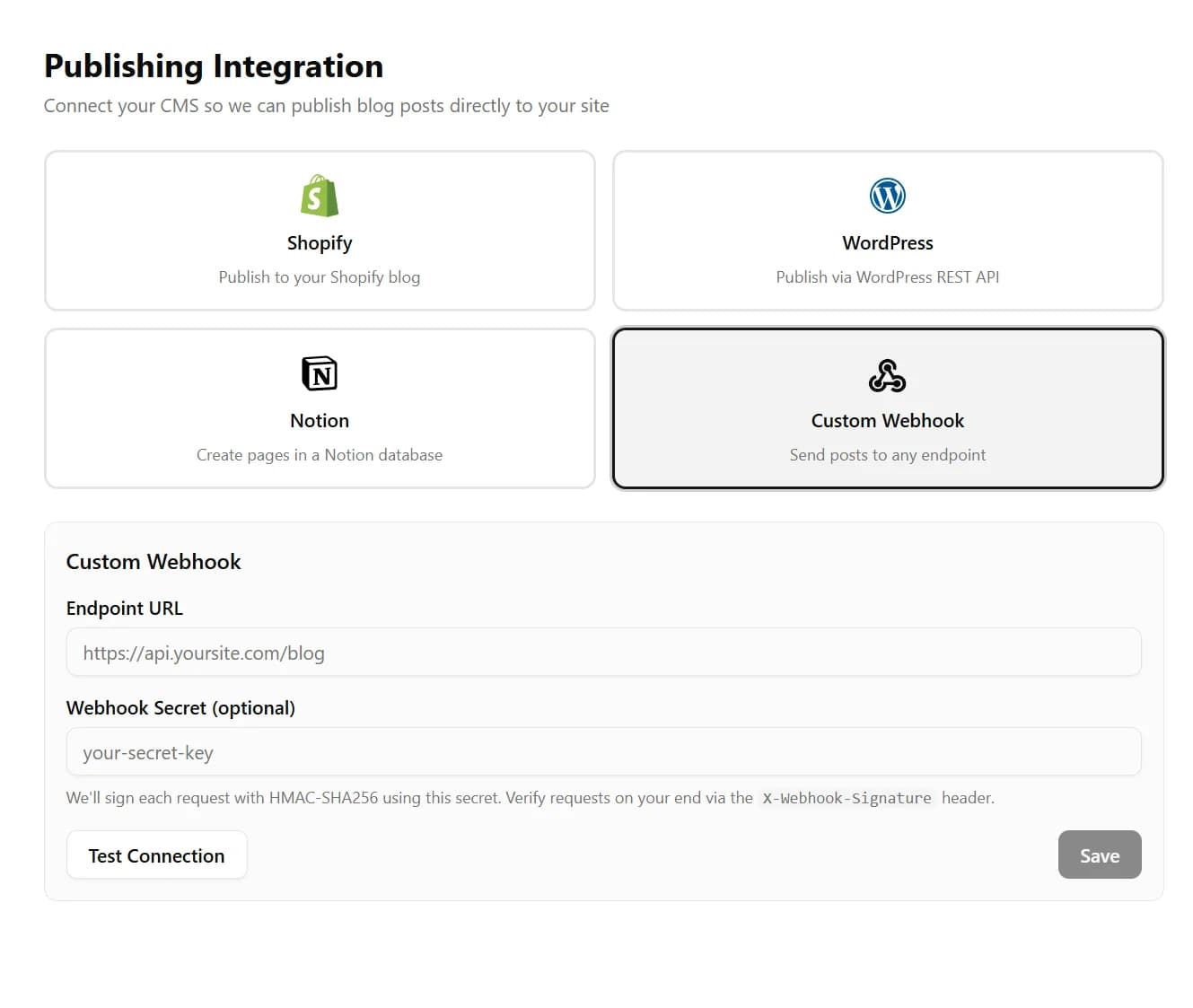
Sign in to BlogAmplify. On a new website, publishing is the last onboarding step (step 5, Publishing). On a website that is already set up, open Integrations in the sidebar. Click the Custom Webhook card.
Step 5: Enter the endpoint and secret
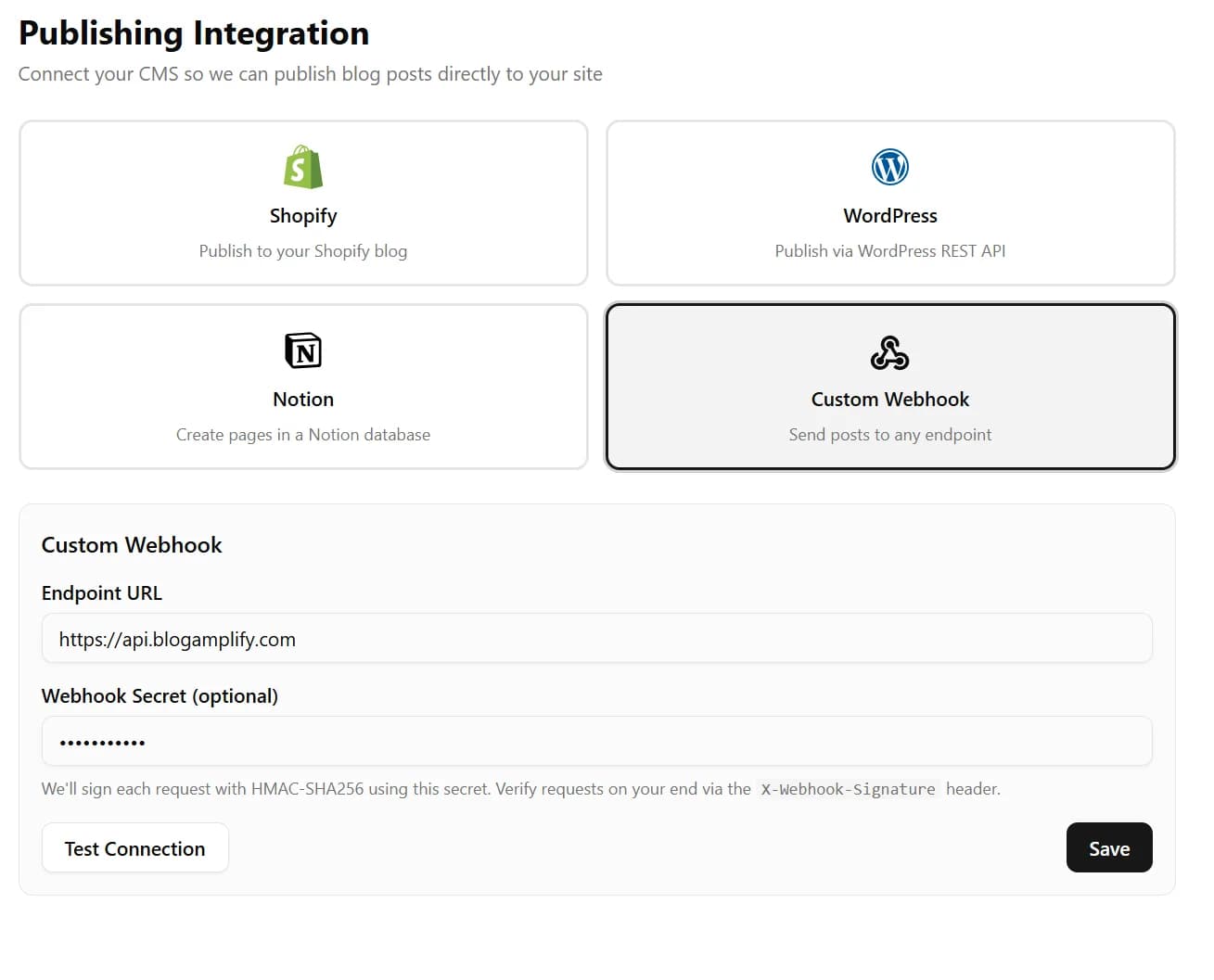
- Endpoint URL: the full address of your endpoint, such as
https://yoursite.com/api/blogamplify. - Webhook Secret: a long random string, for example from
openssl rand -hex 32. Store the same value on your server (the examples read it fromWEBHOOK_SECRET).
- Endpoint URL: the full address of your endpoint, such as
Step 6: Test the connection
Click Test Connection. BlogAmplify sends a signed
post.testrequest with the same shape as a real publish and sample data, and shows whether your endpoint answered with a 2xx status. Answer test pings with 200 and save nothing.During onboarding, a test that passes also saves the webhook. On the Integrations page, click Save after the test passes.
Step 7: Finish setup
During onboarding, click Complete Setup. From then on, every article BlogAmplify publishes arrives at your endpoint as a
post.publishedrequest.Auto-publish is on by default, so each planned article is written and sent on its day, at the time set in Article Config. To read articles first, turn off Auto-Publish there: you then start each article yourself and publish it from the editor.
Next.js, Lovable and other app builders
Next.js
Put the receiver in a route handler (the Next.js tab above) and store articles where your pages can read them: a database, a headless CMS or files in your repository. Render each article at /blog/[slug], use meta_title and meta_description in generateMetadata, and print each schema_markup object in its own JSON-LD script. With a database, revalidate the article's path when a request arrives so updates show without a new deploy.
Lovable and other app builders
Sites made with Lovable and similar builders are web apps with a backend you can ask the builder to extend, often Supabase. Ask for a backend function that checks the X-Webhook-Signature header with your secret, saves each article by data.id in a posts table, and answers with the article's address. Then use that function's address as the Endpoint URL.
Give every article its own address and make sure its text is in the page's HTML, not only loaded after the page opens, so search engines and AI assistants can read it.
Troubleshooting
The test says the endpoint can't be reached
- The address must be public: not localhost, a private network address or a VPN-only host
- A firewall or bot protection in front of the endpoint may be blocking server-to-server requests
- The endpoint must answer within 30 seconds
- CORS headers aren't needed: the request comes from our server, not a browser
Signature checks fail on your server
- The secret on your server must match the one saved in BlogAmplify exactly
- Verify the raw body. Parsing the JSON and serializing it again changes the bytes, and the signature no longer matches
- Some frameworks parse the body before your handler runs. Read the raw body first, as in the examples
The test passes but real publishes fail
Test pings are small; real articles are much larger. Raise your server's body size limit (in Express, express.raw({ limit: '2mb' })) and check that saving a full article finishes within 30 seconds.
The same article arrived twice
When your endpoint answers with a 5xx or 429 status, times out or can't be reached, BlogAmplify sends the same request again, up to three more times within about two minutes. Republishing sends post.updated with the same data.id. Save articles by that id (an upsert), and repeats never create a duplicate.
Fields are empty or missing
All article fields are under the data key. content_markdown is always null for now, and featured_image, author, category or content_type can be null when the article has none.
Other events
BlogAmplify sends post.published, post.updated and post.test. Check the event field and answer 200 to values you don't handle, so your endpoint keeps working if new events are added.
Ready to connect your website?
Start a plan, then connect your blog during setup. It takes a few minutes.
Card required. Free for 3 days, then from $99/mo. Cancel before then and pay nothing.