

Shopify
Shopify SEO Checklist: 25 Checks for Store Owners
Written with AI assistance and checked against the sources linked in this article.
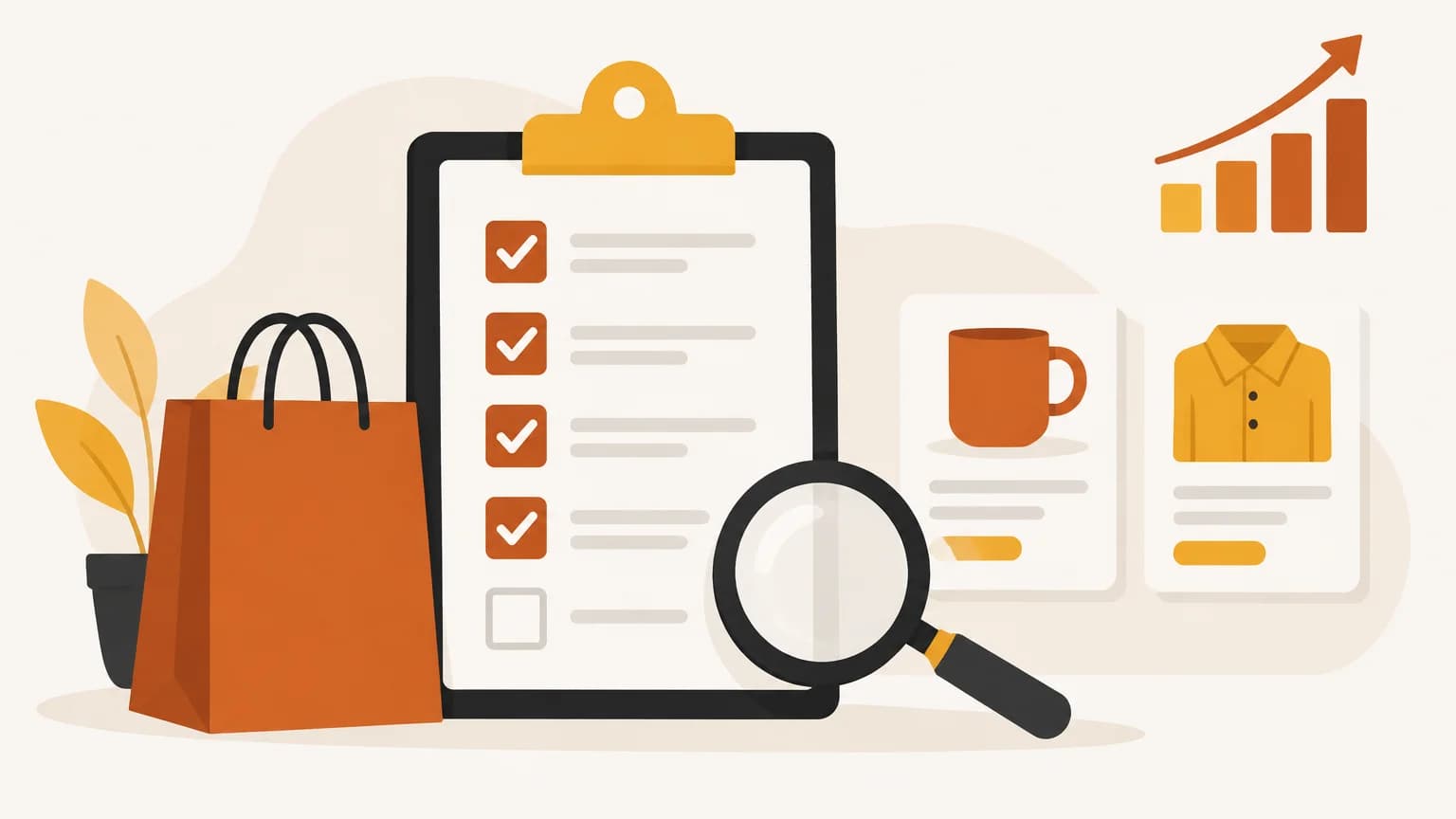
A Shopify SEO checklist comes down to 25 checks in six areas: let Google reach and index the store, give each page its own title and one H1, link to clean product addresses, keep the blog's markup, links and prices right, fix images and speed, and watch Search Console and Bing. Shopify handles the plumbing. The rest is yours.
How to use this Shopify SEO checklist
Work from the top: this is a sequence, not a loose list of Shopify SEO tips. Indexing comes first because a page Google can't reach won't rank, however good its title is. Each check says what to look for, how to spot the problem, and where to fix it in the Shopify admin. A summary table near the end lists all 25 checks so you can copy it into your own tracker.
Most of the list is standard advice, checked against Shopify's own help center and Google's documentation, which are linked in each check. The Shopify-specific traps (checks 6, 9, 11, 12 and 18) come from building the Site Health audit in BlogAmplify against one live Shopify store and a Shopify test store, and check 21 comes from writing articles for that live store. That is a small sample, so treat them as things worth checking on your store, not as statistics about every store.
Is Shopify good for SEO?
Yes, for the foundations. Shopify's SEO overview says "auto-generated canonical tags are added to pages to prevent duplicate content from appearing in search results", that the sitemap.xml and robots.txt files are generated automatically, that themes generate title tags that include your store name, and that structured data is built into Shopify themes.
What Shopify can't do for you: write titles worth clicking, decide which pages deserve to be found, stop apps from slowing your theme, or notice when a link in a blog post points at a product you deleted. That is what the 25 checks cover.
Indexing and crawl (checks 1-6)
1. Take the store out of private mode
While a store is in private mode, "all of your online store's pages are hidden from visitors and search engines", according to Shopify's help on restricting access. To launch, go to Online Store, click the Private label, select Public and click Update (the button reads Launch store the first time). Shopify's SEO FAQ adds that "search engines don't index trial stores", so a store still on a trial won't show up either.
2. Send every domain to one primary domain
If you own several domains and don't use them for international targeting, Shopify's sitemap help says to "make sure all domains redirect to your primary domain." Then test the variants by hand: type http://, https://, www. and the bare domain into a browser. All four should land on the same address.
3. Verify the store in Search Console and submit the sitemap
Shopify builds a sitemap at yourdomain.com/sitemap.xml that contains "links to all your products, primary product image, pages, collections, and blog posts", split into child sitemaps and updated automatically (Shopify sitemap help). In Search Console, open Indexing, then Sitemaps, enter sitemap.xml and submit. Verification needs the store out of private mode. Our Google Search Console guide walks through the setup.
4. Leave robots.txt alone unless you have a specific reason
Shopify's robots.txt help is blunt: "The default robots.txt file works for most stores." Editing robots.txt.liquid is "an unsupported customization", and "incorrect use of the feature can result in loss of all traffic." If you must change it, Shopify's developer docs say to save a copy of your current /robots.txt output first. Deleting the custom template brings the default back.
Don't use robots.txt to hide pages. Google's robots.txt introduction says it "is not a mechanism for keeping a web page out of Google." Check 5 covers the right way.
5. Hide pages the right way, and keep hidden pages out of the sitemap
Shopify offers two methods in its help on hiding pages:
| Method | How | Hidden from |
|---|---|---|
seo.hidden metafield |
Integer metafield set to 1 on a page, blog post or product |
Sitemap, search engines and your store's own search |
| noindex meta tag | <meta name="robots" content="noindex"> in theme.liquid, wrapped in a condition for that page |
Search engines only |
The trap is a page that says "noindex" while the sitemap still lists it. That usually comes from a theme edit or an app, and it matters most on the homepage.
6. Don't read 429 or 430 answers as broken pages
SEO crawlers that read a Shopify store quickly often get refused. Shopify's API response codes define 430 as "Shopify Security Rejection": the request "might be malicious", so Shopify rejected it. Neither 429 (too many requests) nor 430 says anything about whether the page works for shoppers or for Google. Before you "fix" a list of pages your audit tool reported with these codes, open a few in a browser.
If you run your own audit tool, Shopify now lets you sign its requests. Go to Online Store, Preferences, Crawler access, and click Create signature. Each signature is tied to one domain and lasts up to 3 months, and Shopify's crawling help notes that rate-limiting errors can mean the signature isn't valid. Site Health never counts a 401, 403, 429 or 430 as a broken page, and it counts a server error only when two reads in a row get one.
Titles, descriptions and headings (checks 7-11)
7. Give every page its own title
Google asks for "distinct text that describes the content of the page" in each title and warns against "repeated or boilerplate text" (Google on title links). Shopify lets you enter up to 70 characters and suggests keeping titles to 60 so they aren't shortened in results.
Count your store name too. Shopify's Dawn theme adds a separator and the store name to the end of every title unless the title already contains it (see theme.liquid). Edit titles in the Search engine listing section of each product, collection, page or blog post.
8. Write meta descriptions for the pages that sell
Google's snippet guidance says "identical or similar descriptions on every page of a site aren't helpful", that there is no length limit, and that snippets are "primarily created from the page content itself." So a description won't always show, but a unique one on your key pages gives Google a better option than your theme's boilerplate. Shopify recommends about 160 characters. Start with the homepage, your top collections and your best sellers.
9. Check the homepage for two H1s
Shopify's advice is to "use H1 for page titles, H2 and H3 for subsections" (SEO overview). The catch is the logo. On the homepage, Shopify's Dawn theme wraps the store logo in an H1 (header.liquid). That is one H1 already. If a homepage section or an app also outputs an H1, the page has two.
To check, open the page, view the source and search for <h1. On product pages, Shopify's FAQ says the H1 comes from main-product.liquid, and a missing one is "typically caused by edits to theme files."
10. Fill in the homepage title and description
The homepage doesn't have a product-style editor. Its title and description live in Online Store, Preferences (Shopify keyword help). Write them for the search you most want the homepage to win, usually your store name plus what you sell.
11. Set a social sharing image
The Open Graph protocol lists og:image among the four required properties, and it is the picture shown when someone shares your link. Set a default social sharing image in Online Store, Preferences. Products and blog posts normally use their own featured image. Legal pages such as your refund or privacy policy don't need one, so don't let an audit tool send you chasing images for them.
Product and collection pages (checks 12-17)
12. Link to /products/ addresses, not collection paths
Some themes, especially older and third-party ones, build product links inside a collection with Shopify's within filter, which turns /products/blue-mug into /collections/mugs/products/blue-mug. Shopify's Dawn theme doesn't: its product cards link to the /products/ address (card-product.liquid). Shopify's own docs warn that the two "have the same content on separate URLs" and that you "should consider the SEO implications." Google's canonical guidance is simple: "When linking within your site, link to the canonical URL rather than a duplicate URL."
So in menus, blog posts and buttons you control, link to /products/handle. Shopify's canonical tag on the collection-path version points to the /products/ address (open a product from a collection, view the source and search for canonical), so Google usually consolidates the two, but linking to the canonical address directly is still Google's advice. Site Health judges a collection-path link by the product page it points to, so the collection path itself is never reported as a redirect or a broken link; it is flagged only when the product page is.
13. Write product descriptions that answer buyers' questions
Shopify's guide to optimizing your store for AI asks for "comprehensive product descriptions", "detailed product specifications and technical details", sizing guides, materials and care instructions, and "comparison information with similar products." The same details help shoppers and search engines. If you resell, Shopify's product details help says not to use a manufacturer's exact description, "because you want your products to be unique to search engines." Shopify's free Knowledge Base app also lets you see and edit the FAQs AI shopping agents use to answer questions about your store.
14. Check the product markup your theme already outputs
Shopify's structured_data filter outputs a schema.org Product, or a ProductGroup when a product has variants (Shopify dev docs). That markup can make product pages eligible for results that show "price, availability, review ratings, shipping information, and more" (Google on product structured data). Run a product page through Google's Rich Results Test before you install a schema app, so you don't add a second set on top of the theme's.
15. Make collection pages worth landing on
Name collections the way customers search. Shopify's keyword help points to tools "such as Google Search Console for insights into effective keywords", and Search Console's Performance report shows the searches your store already appears for: the wording real buyers use, at no cost. Use those words in collection and product names, add a short introduction that answers the first question a buyer has, and link them from your menus. Shopify's site structure help says "pages shouldn't be more than 3 clicks away from the home page, wherever possible" and asks for descriptive link text.
16. Keep filtered and sorted collection URLs from eating your crawl
Filters and sort options can create a URL for every combination. Google's faceted navigation guidance warns that they "can generate infinite URL spaces", and "if crawling is spent on useless URLs, the crawlers have less time to spend on new, useful URLs." Look at Search Console's page indexing report first. Shopify's default robots.txt already keeps sorted collection pages and combined filters from being crawled (Shopify's robots.txt help); open yourdomain.com/robots.txt and you'll see the sort_by and filter lines. Editing robots.txt.liquid is the last resort, for single-filter or app-generated URLs that still crowd the report, and it brings back the warnings in check 4.
17. Redirect products and pages you remove or rename
When a product goes for good, point the old address at the closest replacement in Content, Menus, View URL redirects. When you change the URL handle of a page or collection in its search engine listing, Shopify offers to create the redirect for you: for pages it is "a pre-selected option to Create a URL redirect" (Shopify help on pages), and for collections you "select whether to create a redirect from the old URL to the new URL" (collection settings). Leave it selected and the old address forwards to the new one. Shopify's redirect help notes that "you can redirect only from broken URLs", so a redirect from an address that still loads does nothing. Most stores can create up to 100,000 redirects and import them from a CSV.
The blog (checks 18-21)
18. Make sure blog posts carry Article markup
Shopify's structured_data filter outputs a schema.org Article for blog posts (Shopify dev docs), and Dawn's article template uses it. Older or heavily customized themes may not. Google's Article structured data can help it "show better title text, images, and date information", and no property is required. View a post's source and search for ld+json to check.
19. Give every post a job and a link to what you sell
A post should answer one question a buyer asks before they buy, then link to the product or collection that answers it, with link text that says where it goes. If you're unsure whether a blog is worth it for your store, read do blogs help SEO.
20. Fix broken and redirecting links in posts
Products sell out and handles change, so links in older posts go stale. Site Health checks the links on the pages in your sitemap, including links to other sites, and lists broken links and links that pass through a redirect. On articles BlogAmplify published to your Shopify blog, Fix it for me edits the live article: a broken link is removed with its words kept, and a redirecting one gets its final address. Pages BlogAmplify didn't write get fix steps for Shopify instead.
21. Keep prices in blog posts current
A post that says a product costs $48 is wrong the day you change the price. Search your posts for your currency sign whenever you reprice. For articles BlogAmplify writes, a product price that changed on your store is updated before the article publishes, and while automatic article updates are on (the default), it is corrected in recent published articles in place, usually within a week. Each change is listed on Site Health with an undo for 30 days.
Images and speed (checks 22-24)
22. Write alt text for product images, and upload them at a sensible size
For a product image, click the image, then Edit alt text (Shopify keyword help). Google's image guidance says filling alt attributes with keywords "results in a negative user experience and may cause your site to be seen as spam", and prefers "Dalmatian puppy playing fetch" to "puppy". It also asks for short, descriptive file names, so rename IMG00023.JPG before you upload.
Shopify compresses images and resizes them through its image CDN, but its performance guide still asks you to "ensure your uploaded images are appropriately sized", and notes that pages with many high-quality images can load slowly. For square product photos, Shopify's media help says 2048 x 2048 px "usually displays best."
23. Read Shopify's web performance report
Go to Analytics, then Reports. Shopify's performance report rates loading (LCP), interactivity (INP) and visual stability (CLS) as Good, Moderate or Poor, "based on real user data from the past 30 days." App installs and theme changes appear as markers on the charts, so you can see which one moved a number. The data can be delayed by up to 36 hours.
The targets come from web.dev, measured at the 75th percentile of page loads:
| Metric | What it measures | Good |
|---|---|---|
| LCP | How fast the largest element appears | 2.5 seconds or less |
| INP | How quickly the page responds to a tap or click | 200 ms or less |
| CLS | How much the layout jumps while loading | 0.1 or less |
24. Remove apps you don't use, and their leftover code
"Uninstalling an app doesn't automatically remove its code from your theme," says Shopify's performance guide, and you may need the developer's removal instructions. The same page suggests choosing a theme built for performance and limiting the number of sections on page templates.
Search Console and Bing (check 25)
25. Watch indexing in Search Console, and add Bing
Use URL Inspection on your most important pages. "URL is on Google" means a page is eligible to appear. A request to index "does not guarantee that the page will appear", requests have a daily limit, and "indexing can take up to a week or two" (Search Console help).
Then add Bing. Bing Webmaster Tools can import your sites from Search Console, and "the imported sites will be automatically verified" (Bing Webmaster Blog). Our Bing Webmaster Tools guide shows the steps. With Bing connected to BlogAmplify, every new article is submitted to Bing when it first publishes.
The checklist in one table
| # | Check | Where to look in Shopify |
|---|---|---|
| 1 | Store is public, not in private mode | Online Store, Private label |
| 2 | Every domain and http/www variant ends on one primary domain | Domain settings, then a browser test |
| 3 | Store verified in Search Console, sitemap.xml submitted | Search Console, Indexing, Sitemaps |
| 4 | robots.txt left at Shopify's default unless there's a clear reason | yourdomain.com/robots.txt |
| 5 | Hidden pages use seo.hidden or noindex, and no noindexed page is in the sitemap | Metafields, theme.liquid |
| 6 | 429 and 430 answers from audit tools re-checked, not treated as broken | A browser, Crawler access |
| 7 | Every page has its own title, store name counted | Search engine listing |
| 8 | Key pages have unique meta descriptions | Search engine listing |
| 9 | One H1 per page, logo included | Page source |
| 10 | Homepage title and description written | Online Store, Preferences |
| 11 | Default social sharing image set | Online Store, Preferences |
| 12 | Links point to /products/ addresses | Theme, menus, blog posts |
| 13 | Product descriptions are your own and cover specs, sizing, materials, care | Products |
| 14 | Product markup checked before adding a schema app | Rich Results Test |
| 15 | Collections named with the words buyers search, within 3 clicks of home | Collections, Content > Menus, Search Console |
| 16 | Filter and sort URLs not flooding the index | Search Console page indexing report |
| 17 | Removed or renamed pages redirected | Content, Menus, View URL redirects |
| 18 | Blog posts carry Article markup | Page source |
| 19 | Each post answers one question and links to a product or collection | Blog posts |
| 20 | No broken or redirecting links in posts | Blog posts |
| 21 | Prices in posts match the store | Blog posts |
| 22 | Product images have descriptive alt text and sensible sizes | Products, Edit alt text |
| 23 | LCP, INP and CLS rated Good | Analytics, Reports |
| 24 | Unused apps and their leftover code removed | Apps, theme code |
| 25 | Key pages indexed, Bing added | Search Console, Bing Webmaster Tools |
What BlogAmplify checks for you on Shopify
About half of this list is what Site Health in BlogAmplify runs as a weekly audit of the pages in your sitemap: titles, descriptions, H1s, noindex and canonical tags, http and www redirects, robots.txt blocking, broken and redirecting links, thin blog posts, images without alt text, social images and blog markup. Each issue comes with fix steps for Shopify, titles and descriptions can get a suggested replacement written from the page's own text, and Validate fix re-reads the pages once you've changed them. With Search Console connected, it also asks Google each night about the index status of up to 25 pages, our own articles first. It doesn't measure speed, so checks 23 and 24 stay with you, as do the judgment calls in checks 13 to 16.
The blog checks (18 to 21) are where it does the work itself, because they cover articles BlogAmplify wrote and published to your Shopify blog. It never edits pages it didn't write. To connect a store, follow the Shopify guide, or see how it fits a store's month on BlogAmplify for Shopify stores.
Frequently asked questions
Do I need an SEO app on Shopify?
Not for the basics, which Shopify already handles. An app earns its place when it saves you real work, such as bulk-editing hundreds of titles or importing a long list of redirects. Before you install one, check what it adds to your theme, because uninstalling an app doesn't automatically remove its code. For schema apps, see check 14 first.
How long does Google take to index a new Shopify product?
Usually not long. Google's URL Inspection help says indexing "typically takes only a day or so, but can take much longer in some cases." Help Google find the product sooner by linking it from a collection or your homepage, not only from the sitemap, so crawlers reach it by following links from pages they already visit.
Should I change a product's URL handle for SEO?
Only when the current one is unclear, such as a supplier code. Shopify's product help warns not to edit it too often "or the product might not display in search engine results." If you do change it, make sure the old address redirects to the new one (check 17) and update menus and blog posts that still link to the old address.
How often should I run this Shopify SEO checklist?
Run the whole list once, then again after a theme change, a migration or a batch of app installs, since those are what move titles, H1s, markup and speed. Titles, descriptions and alt text belong in your routine for every new product. Shopify's performance report can lag up to 36 hours, so judge speed changes a few days later.
Sources
- SEO overview, Shopify Help Center. Checked Oct 15, 2026.
- Finding and submitting your sitemap, Shopify Help Center. Checked Oct 15, 2026.
- Editing robots.txt.liquid, Shopify Help Center. Checked Oct 15, 2026.
- Crawling your store, Shopify Help Center. Checked Oct 15, 2026.
- Adding keywords for SEO to your Shopify store, Shopify Help Center. Checked Oct 15, 2026.
- Optimizing your site structure for search engines, Shopify Help Center. Checked Oct 15, 2026.
- Frequently asked questions about SEO, Shopify Help Center. Checked Oct 15, 2026.
- Hiding a page from search engines, Shopify Help Center. Checked Oct 15, 2026.
- Optimizing your store for AI, Shopify Help Center. Checked Oct 15, 2026.
- Creating and managing URL redirects, Shopify Help Center. Checked Oct 15, 2026.
- Creating and editing pages, Shopify Help Center. Checked Oct 15, 2026.
- Managing collection settings, Shopify Help Center. Checked Oct 15, 2026.
- Adding and updating products, Shopify Help Center. Checked Oct 15, 2026.
- Product details page, Shopify Help Center. Checked Oct 15, 2026.
- Product media types, Shopify Help Center. Checked Oct 15, 2026.
- Restrict access to your online store, Shopify Help Center. Checked Oct 15, 2026.
- Web performance reports, Shopify Help Center. Checked Oct 15, 2026.
- Improving your online store performance, Shopify Help Center. Checked Oct 15, 2026.
- Shopify API response status and error codes, Shopify Dev Docs. Checked Oct 15, 2026.
- Liquid filter: within, Shopify Dev Docs. Checked Oct 15, 2026.
- Liquid filter: structured_data, Shopify Dev Docs. Checked Oct 15, 2026.
- Customize robots.txt, Shopify Dev Docs. Checked Oct 15, 2026.
- Dawn theme: sections/header.liquid, Shopify on GitHub. Checked Oct 15, 2026.
- Dawn theme: snippets/card-product.liquid, Shopify on GitHub. Checked Oct 15, 2026.
- Dawn theme: layout/theme.liquid, Shopify on GitHub. Checked Oct 15, 2026.
- Influencing your title links in search results, Google Search Central. Checked Oct 15, 2026.
- How to write meta descriptions, Google Search Central. Checked Oct 15, 2026.
- How to specify a canonical with rel="canonical" and other methods, Google Search Central. Checked Oct 15, 2026.
- Introduction to robots.txt, Google Search Central. Checked Oct 15, 2026.
- Managing crawling of faceted navigation URLs, Google for Developers. Checked Oct 15, 2026.
- Product structured data, Google Search Central. Checked Oct 15, 2026.
- Article structured data, Google Search Central. Checked Oct 15, 2026.
- Image SEO best practices, Google Search Central. Checked Oct 15, 2026.
- URL Inspection tool, Search Console Help. Checked Oct 15, 2026.
- Web Vitals, web.dev. Checked Oct 15, 2026.
- The Open Graph protocol, ogp.me. Checked Oct 15, 2026.
- Easily verify your site in Bing Webmaster Tools by importing from Google Search Console, Bing Webmaster Blog. Checked Oct 15, 2026.
Keep reading

AI visibility
Best AI Visibility Tools: Trackers Compared by Engine, Prompts and Price
Nine AI visibility tools compared on engines, prompts, check frequency, price and what happens after the report, every fact from the vendors' own pages.
· 14 min read
Blog automation
Auto Blogging: What to Automate, What to Keep and How to Set It Up
Auto blogging done right: which blog tasks software can run for you, which facts and decisions to keep, and how to set it up on your platform.
· 10 min read

AI visibility
GEO Strategy for Small Businesses: A Practical Checklist
A GEO strategy in six steps for small businesses: pick the questions, make your pages agree, write quotable answers, get listed, allow crawlers, measure.
· 13 min read
Get a researched article on your blog every day
BlogAmplify plans your topics from your site's data, writes each article with linked sources and publishes it to Shopify, WordPress, Notion or your own site.
Card required. Free for 3 days, then from $99/mo. Cancel before then and pay nothing.